The tools OpenClaw integrates with today
OpenClaw currently integrates with the following:
| Category | Tools |
|---|---|
| Gmail | |
| Communication | Slack |
| CRM | HubSpot, Pipedrive |
| Project / knowledge | Notion, Google Drive |
| Ecommerce | Shopify |
| Developer | GitHub, Linear |
| Payments | Stripe |
Each tool on this list is in active use across ClawBuilt client implementations. This is not a roadmap — it is what is running in production today.
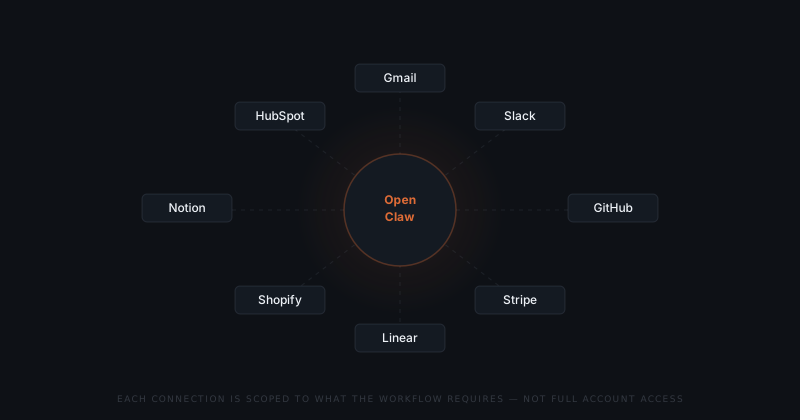
How OpenClaw integration permissions work
The integration model is not "connect your account and let the agent do what it needs." Every workflow defines the specific permissions it requires. The integration is scoped to those permissions only.
Each integration gets only the permissions the specific workflow requires. OpenClaw cannot read a Gmail thread unless the workflow calls for it — and cannot send unless you approve.
An invoice follow-up workflow on Gmail can read emails from the relevant thread and draft a reply. It cannot read other threads, access your calendar, or move emails. ClawBuilt sets the scope at configuration.
The question is not what it connects to. It is what it can touch.
The scoped integration model is what makes the approval model coherent. OpenClaw acts only on what it can see. By limiting what it can see, ClawBuilt limits what it can do — before the approval step even applies.
What OpenClaw does not currently support
Current gaps worth knowing before a scoping call:
| Not supported | Status |
|---|---|
| Microsoft 365 (Outlook, Teams, OneDrive) | Not on the roadmap |
| Salesforce, Zoho CRM | Not supported |
| WhatsApp, Telegram (as output channels) | Not supported |
| Google Calendar (write access) | Read-only in specific workflows |
If your workflow depends on a tool not listed here, the scoping call is the right place to raise it. ClawBuilt will tell you directly whether it is feasible.
How to add a tool not on OpenClaw's integration list
New integrations are built when a client workflow requires them and the tool's API supports the access pattern. The process: raise it on the scoping call, ClawBuilt assesses feasibility, and if viable, it is scoped into the implementation.
There is no self-serve integration layer. ClawBuilt adds all new tools — the founder does not. This keeps the permission model consistent and ensures every connection is correctly scoped before it goes live.