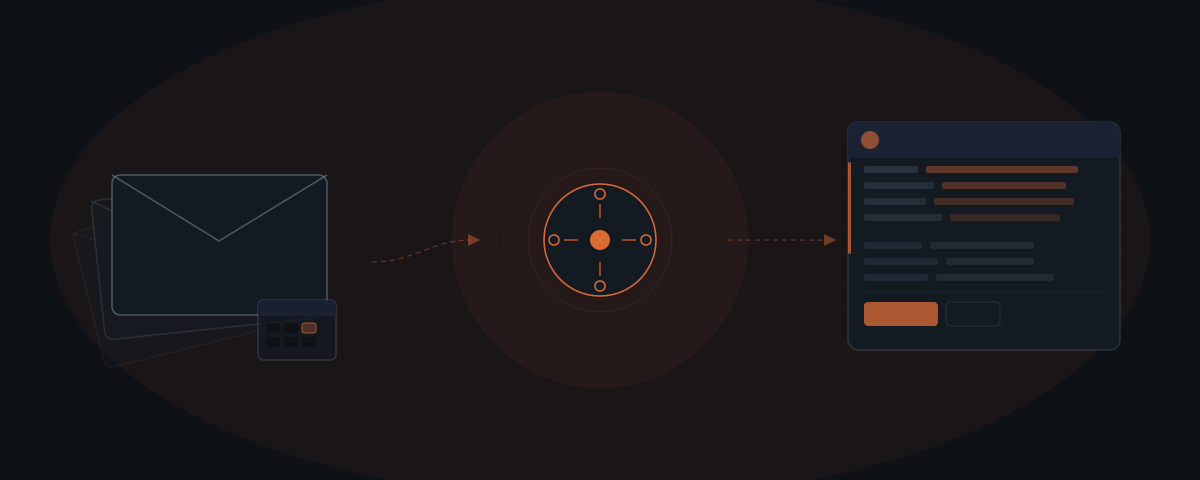
An AI agent for CRM updates reads email threads, calendar events, and call transcripts after each sales interaction and writes the result directly to the CRM record. The agent updates deal stages, last interaction dates, meeting notes, and follow-up tasks. Every update goes to a rep review queue before the CRM record reflects the change.
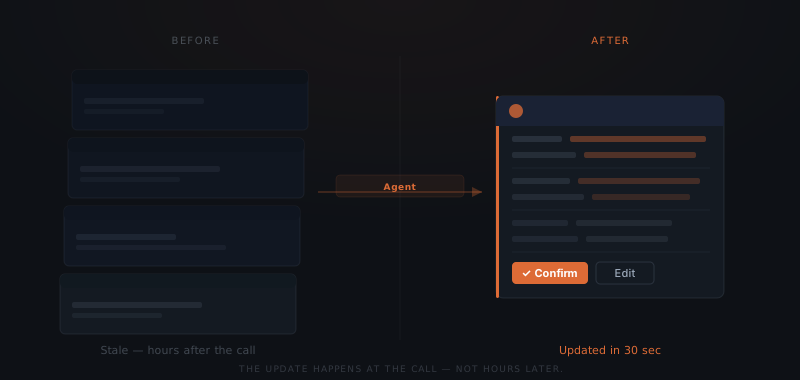
A sales rep finishes a call at 3:14 PM. The next call starts at 3:30. The CRM update — a 3-minute task — gets pushed to end of day. End of day, the notes are fuzzier than they were at 3:15. By Thursday, the deal stage is still "contacted" and the last interaction date is wrong. An AI agent for CRM updates reads the email thread, the calendar event, and the call transcript immediately after the call ends — and writes the update without waiting for a gap in the rep's day.
CRM data goes stale the moment a sales call ends
The CRM update that never happens isn't laziness — it's friction.
HubSpot's annual State of Sales survey finds that data entry and CRM administration consume more than 20% of the average sales rep's workday.[¹] The time is not lost in long stretches — it disappears in 3-minute tasks that get deferred between calls and then forgotten.
A CRM record reflects what the rep had time to enter, not what actually happened in the last call. Deal stage mismatches, missing meeting notes, and stale last-interaction dates accumulate across every rep who finishes a call and moves immediately to the next one.
The problem is not motivation — it is structure. The CRM update requires a gap in the day. Sales schedules do not produce gaps on demand. An agent removes the dependency on a gap by running immediately when the call ends.
An agent reads the communication a rep already produces
An AI agent for CRM updates does not require new behaviour from the sales rep. The agent reads the communication the rep already produces: emails sent and received, calendar events booked, and call transcripts generated after each recorded call. Every sales interaction produces this data trail — the agent follows it.
A CRM update agent connects to four existing systems: the rep's email inbox, the calendar, the call recording platform, and the CRM itself. When a meeting ends, the agent reads the calendar event, the email thread that preceded it, and the call transcript or AI summary generated by the recording system. From those three sources, the agent extracts the update and writes it to the CRM record.
The agent identifies the deal stage based on explicit signals in the conversation — "send me a proposal" advances the stage, "let's reconnect next quarter" creates a long-cycle task — and logs the key topics from the call. The last interaction date updates to the actual call time, not to whenever the rep gets around to the manual entry.
For reps managing 15 or more active deals, eliminating manual CRM entry after each call reclaims several hours per week. The time shifts from updating fields to calls and client work.
What the agent updates and what the rep still controls
An agent updates CRM fields that come from observable behaviour — information that exists in the communications record without interpretation. A rep controls the fields that require judgment, strategy, or relationship context the agent cannot read.
| CRM field | Source | Who updates it |
|---|---|---|
| Last interaction date | Calendar event timestamp | Agent |
| Meeting notes | Call transcript summary | Agent |
| Next follow-up task | Agreed next step from call | Agent |
| Deal stage signal | Explicit conversation phrase | Agent (with rep override) |
| Contact detail changes | Email signature or stated update | Agent |
| Close probability | Rep judgment | Rep |
| Competitor context | Off-record rep knowledge | Rep |
| Deal priority | Business strategy decision | Rep |
| Relationship notes | Personal context | Rep |
| Custom deal flags | Rep discretion | Rep |
The rep receives a review notification after each update — a summary of what the agent wrote, with a link to confirm, edit, or override. No field is finalised until the rep releases it from the review queue.
Connecting an agent to the CRM and communications stack
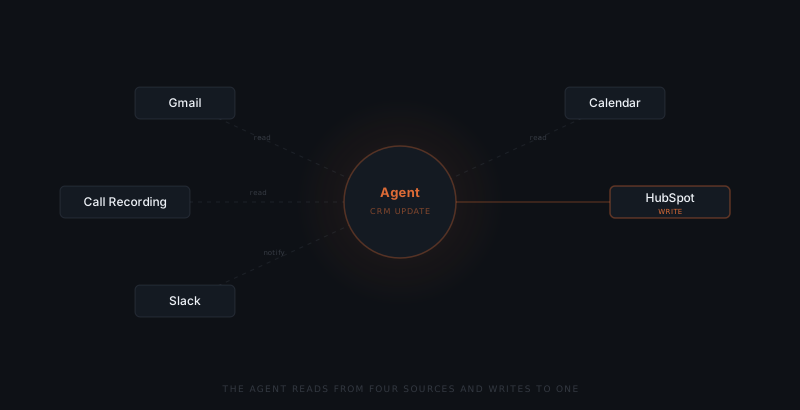
A CRM update agent requires five integrations.
Email (Gmail or Outlook): The agent reads the email thread history with each prospect — message content, attachments shared, and response timestamps. Read access only. The agent does not send email through this connection.
Calendar (Google Calendar or Outlook Calendar): The agent reads booked meetings, participant lists, meeting duration, and any pre-meeting notes the rep added to the event. Read access only.
Call recording (Gong, Fireflies, Otter, or Zoom): The agent reads the transcript or AI summary generated after each recorded call. Most recording platforms produce a structured summary within minutes of the call ending. Read access only.
CRM (HubSpot, Salesforce, or Pipedrive): The agent writes to the CRM record. Write access is scoped to the specific fields defined during setup — not the full record. Deal stage changes go to a staging field for rep review before the pipeline view reflects them.
Slack or email (review notification): The agent sends a review summary to the rep after each update — what was written, which fields changed, and a link to confirm or override.
Map the fields the agent will update
List every CRM field the agent is permitted to update. Define the source for each field — calendar event, email thread, or call transcript. Fields without a defined source stay with the rep. Do not include fields that require judgment or relationship context.
Connect calendar and email with read-only OAuth
Grant the agent read access to the calendar and email accounts the rep uses for prospect contact. Scope access to external-facing threads only — not internal team communication. Use OAuth with the minimum required read permissions.
Connect call recording output
Configure the call recording system to send transcript summaries to the agent after each call ends. Most platforms offer a webhook or API endpoint that fires when the summary is ready. The agent reads from that endpoint — no manual export required.
Scope CRM write permissions
Grant the agent write access to the specific fields mapped in the previous step. Do not grant full record access. Create a staging field for deal stage changes so the rep reviews deal stage moves before the pipeline view reflects them.
Set up the review queue
Configure the review notification to deliver after each update — a summary of fields changed, with a confirm or override link. The rep receives the notification via Slack or email. Nothing reaches the CRM record without the rep releasing it from the queue.
One definition before the agent goes live
A CRM update agent requires one written definition before deployment: which conversation signals map to which deal stage changes.
Without a signal map, the agent cannot determine when "send me a proposal" moves a deal to "Proposal Sent" versus when "let me share this with my team" requires the rep to decide. Every ambiguous signal needs a defined default — route to the rep for a manual decision, or hold at the current stage.
A representative signal map for a B2B service business:
| Deal stage | Clear signal | Ambiguous signal | Default action |
|---|---|---|---|
| Proposal requested | "Send me a proposal", "Can you send pricing" | "Let's talk numbers" | Route to rep |
| Follow-up needed | Meeting completed, no explicit next step stated | Call ended without clear agreement | Create task, flag rep |
| Qualified | Problem stated, authority confirmed, timeline given | "Just exploring options" | Route to rep |
| Not ready yet | "Not until Q3", "Call me in January" | "Not right now" | Move to long-cycle task |
| Closed lost | "Going with another vendor", "Budget cancelled" | No response after 10 days | Flag rep — do not auto-close |
A signal map with explicit defaults prevents the agent from making pipeline decisions that require sales judgment. The agent reads the communication and writes data. The rep reviews the data and makes decisions that move the deal.
Frequently asked questions
What does an AI agent for CRM updates actually read? An AI agent for CRM updates reads three sources: email threads between the rep and the prospect, calendar events that booked the meeting, and call transcripts or recording summaries generated after each call. The agent does not require new data entry — every source exists as part of a standard sales workflow.
Does the agent update the CRM without the rep reviewing? No — every update the agent writes goes to a review queue before the CRM record reflects the change. The rep receives a summary of what was updated and confirms, edits, or overrides each item. No field is written without a named person releasing the update from the queue.
Which CRM platforms does a CRM update agent integrate with? The most common integrations are HubSpot, Salesforce, and Pipedrive. The agent connects to whichever CRM the team already uses. Write access is scoped to specific fields defined during setup — not the full record.
How do you prevent the agent from making incorrect deal stage decisions? Write a signal map before deployment that defines which conversation phrases map to which deal stage changes. Every ambiguous signal gets a defined default: route to rep for manual decision, or hold at current stage. The agent reads communication and writes data — the rep reviews the data and makes strategy decisions.
Notes
- HubSpot, "State of Sales 2024," HubSpot Research. https://www.hubspot.com/state-of-sales