bot-observability
See which bots request your pages, and how often.
Crawler requests, kept as history.
bot-observability records every bot request that reaches your site - which page, which crawler, what status - in your own Postgres database, then shows it as a dashboard with daily history that stays queryable for years. Connect a website with the maintained Next.js sender, or import an existing nginx, Apache or Caddy access log. Bot identity comes from the user agent and can be spoofed; the dashboard says so instead of pretending otherwise.
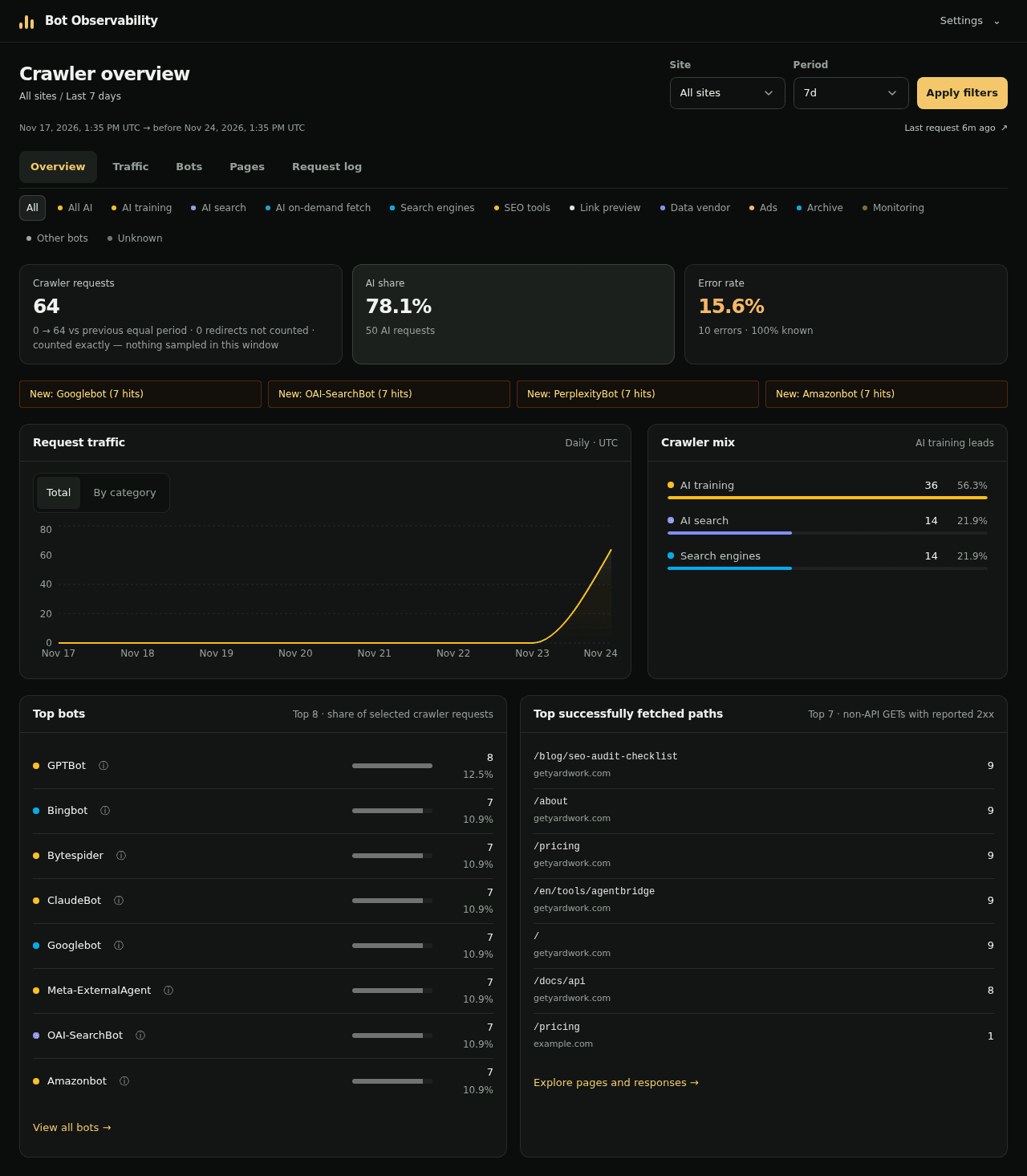
Which page, which crawler, since when.
Per page, per crawler
Request history by page and bot, with AI training, AI search and search crawlers kept apart.
History that stays useful
Raw events plus daily rollups, so a question about last year is one query rather than a scan of an archive.
Your own database
Next.js and PostgreSQL, self-hosted. You pay your own hosting and nothing leaves your infrastructure.
Works without a sender
Import nginx, Apache, Caddy or Cloudflare Logpush logs. People are counted, never stored.
From clone to dashboard.
- Clone and configureCopy .env.example to .env and generate a different secret for each role.
- Start itdocker compose up --build -d runs Postgres, the migrations and the app.
- Connect a websiteCopy the Next.js sender into the site or import an access log; a probe proves the path end to end.
- Read the dashboardSign in with the admin token and choose a project.
Your data stays on your hardware.
Self-hosted by design: the app binds to loopback by default, the database is yours, and no third-party service sits in the path. For a remote install, put a TLS proxy in front of it.
Know what crawlers do on your site.
Free, MIT, self-hosted. The dashboard measures HTTP requests, not people, visits or referrals, and it says so.
View source on GitHub