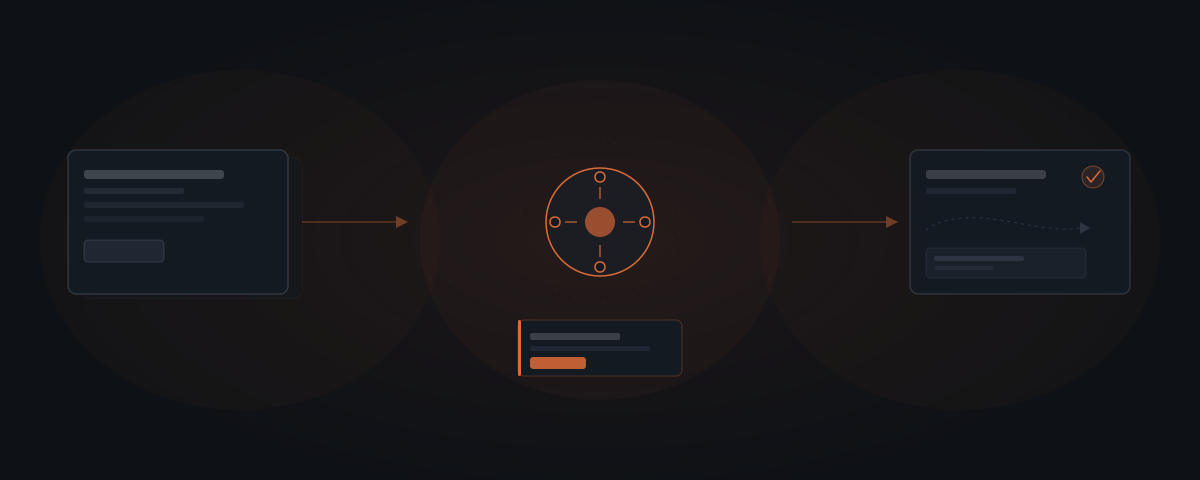
Most B2B invoices are paid late — 55% in North America, according to Atradius. The gap isn't a billing software problem. It's a follow-up cadence problem. An AI agent generates invoice drafts, sends payment reminders at the configured interval, and logs status updates — handling the mechanical steps so the business owner reviews and approves, not assembles.
The invoice goes out. The net-30 window passes. A week after that, someone on the team remembers and sends a manual follow-up. The client responds asking for a corrected version. Nobody logged the original send date, so nobody knows how long this has taken.
That is the standard invoicing process for most service businesses. Not the billing software — the part between "invoice sent" and "payment received." An AI agent handles that part: sending the reminder at the right interval, logging the status update, flagging the overdue payment. The billing software and the invoice template stay as they are.
What an AI agent handles in the invoicing workflow
An invoicing agent does not replace the billing process. The agent handles the mechanical steps that sit between "project complete" and "payment received" — steps that follow a defined pattern, run on a schedule, and require no judgment to execute.
An invoicing agent does not replace your billing software — Stripe, FreshBooks, QuickBooks, or whatever you use. The agent reads data from that tool and acts on it. The billing software stays unchanged.
The agent's scope: it generates the draft invoice from project data already in the system (time logged, deliverables completed, rate applied), routes the draft for approval before sending, sends on confirmation, and logs the timestamp. After the payment window passes, the agent drafts the first late payment reminder, routes it for approval, and sends it on confirmation. The agent logs each action and updates the billing status field in the CRM.
That is the full scope. The agent does not make judgment calls about whether to waive late fees, extend payment windows, or adjust invoice amounts. Those decisions require context — client relationship history, upcoming contract renewal, a conversation that happened outside the documented workflow.
The full invoice cycle, stage by stage:
| Stage | Trigger | Agent action | Approval required | Human handles |
|---|---|---|---|---|
| Draft generation | Project marked complete in billing system | Read project data, generate formatted draft | Yes — owner reviews before send | Pricing decisions, scope adjustments |
| First send | Owner approves draft | Send invoice from owner's email address, log timestamp and send date | Pre-approved at draft stage | Nothing — agent handles send |
| First reminder | Payment window passes (net-30 or configured interval) | Draft reminder referencing invoice amount and due date | Yes — owner reviews | Nothing if approved as-is |
| Dispute flag | Client replies with question or objection | Stop follow-up sequence, flag to owner | Not applicable | Full dispute resolution |
| Second escalation | Owner decides after first reminder | Owner-initiated — agent logs and routes | Yes — owner determines approach | Phone call, collections, further negotiation |
| Payment confirmed | Payment received in billing tool | Log payment date, update CRM status, close sequence | No — auto-logged | Nothing |
55% of B2B invoices in North America are paid late, according to Atradius's Payment Practices Barometer.[¹] For most service businesses, the gap between "invoice sent" and "payment received" is not a billing software problem — it is a follow-up cadence problem. The agent solves the follow-up cadence.
The three steps most service businesses still do manually
Three specific steps in the invoicing workflow are high-effort, low-judgment work that agents handle more consistently than a founder running them between client calls.
The invoice isn't the bottleneck. The follow-up is.
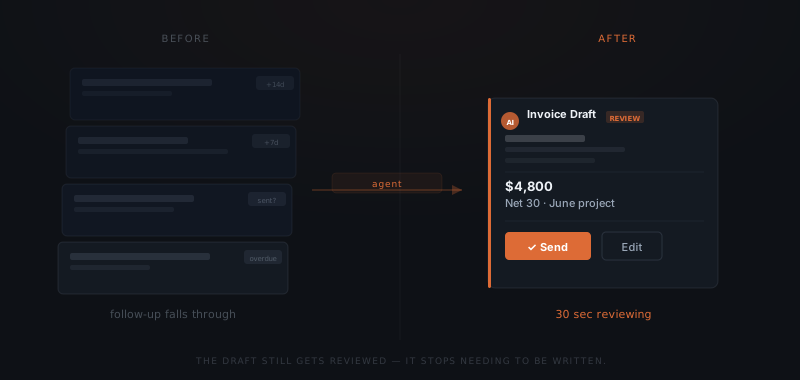
Draft generation has the highest time-to-value ratio. The data required — project name, client name, amount, payment terms — already exists in most businesses' systems. The agent reads that data and generates a formatted draft. The founder reviews the draft before it sends. Total time in the loop: thirty seconds of reviewing instead of five to ten minutes of composing.
First-send confirmation replaces the "did I actually send that invoice?" check that founders run on Friday afternoons. The agent generates the draft, routes it for approval, logs the approval timestamp, and sends. The founder knows exactly when the invoice was sent because the agent logged it. The CRM record matches.
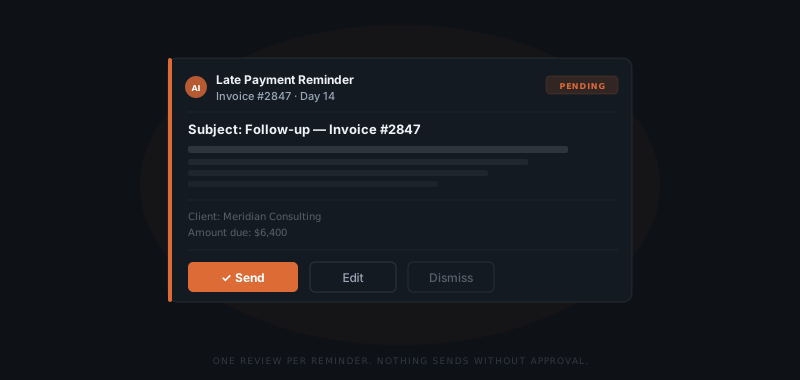
Late payment reminders are the highest-value handoff. Most service businesses know which clients pay late. The agent sends the first reminder at day 14 or day 30 — whichever the business configures. The reminder is drafted by the agent and approved before sending. No reminder falls through because someone forgot to check the aging report.
The reminder cadence that eliminates most of the gap between "invoice sent" and "payment received":
| Reminder | Timing | Message purpose | Sequence stops when |
|---|---|---|---|
| First reminder | Day 7–14 after due date (configurable) | Polite reminder — invoice reference, amount, payment link | Payment received or client replies |
| Second reminder | Day 21–30 after due date | Follow-up noting the original invoice and first reminder | Payment received, client replies, or owner escalates |
| Third reminder / escalation | Day 30+ | Owner-determined — agent flags, human decides next step | Owner takes over the sequence entirely |
McKinsey's research on professional services automation finds that routine data processing and communication tasks — exactly these three steps — carry a 64% average automation potential, among the highest of any knowledge-work category.[²]
What stays outside the agent's scope
Three types of decisions stay with the business owner.
Disputes and adjustments. When a client contests an invoice amount, the agent flags it and routes it to the owner. The agent does not negotiate, adjust amounts, or send revised invoices without explicit approval.
New client setup. The agent works within the existing billing configuration — rates, payment terms, invoice template, connected billing tool. Adding a new client or changing the template requires a human to update the configuration.
Overdue escalation beyond the first reminder. The agent sends one reminder. Whether to send a second, escalate to a phone call, or involve collections is a decision made by the owner. The agent logs the overdue status and flags it. The decision about what happens next belongs to the human.
These boundaries define when the agent waits for input rather than acting. A well-scoped invoicing agent stays reliable because it does not try to handle every scenario — only the ones it can handle correctly every time. For a broader framework on choosing which tasks to hand to an agent and which to keep, see which workflows to automate first.
How to add an agent to an existing billing process
An invoicing agent connects to what is already there — Stripe, FreshBooks, QuickBooks, HoneyBook, or similar. The agent reads project data and billing records from those tools. The agent does not replace them.
The setup involves six steps:
Map the data fields the agent reads
Identify which fields in the billing tool the agent needs: project name, client name, invoice amount, payment terms, and due date. These are the inputs the agent uses to generate the draft. If any field is missing or inconsistently filled, address that before configuring the agent — garbage inputs produce garbage drafts.
Set the invoice generation trigger
Define what causes the agent to initiate draft generation: a project status change in the billing tool, a time log marked complete, or a manual trigger by the owner. The trigger must fire exactly once per invoice — not once per session or per task.
Define the approval flow
Name who reviews each draft before it sends and set the review window. For time-sensitive invoices, 4 hours. For standard monthly billing, one business day. Configure the non-response default: draft expires and logs as unactioned. Never auto-send on timeout.
Configure the reminder schedule
Set the interval for each reminder tier: first reminder at day 7, day 14, or day 30 — whichever matches the business's standard terms. Configure whether reminders require approval or send automatically after the first one is reviewed and approved.
Set dispute detection
Define which types of client replies pause the automated sequence and flag to the owner: any reply within the follow-up window, or specific keywords like "dispute," "incorrect," or "question." Broader detection is safer — a false positive is a dismissable notification; a missed dispute is an operational problem.
Connect the billing tool and CRM
Grant the agent read access to billing records and write access only to the CRM activity log and billing status fields. The billing tool stays unchanged. The agent reads from it and logs to it — nothing else.
Integrations an invoicing agent connects to
The agent reads from the billing tool and writes to the CRM activity log. Nothing else changes in the existing stack.
| Platform | Role in the workflow | Access required |
|---|---|---|
| Stripe | Invoice status, payment confirmation | Read payment status and invoice records |
| FreshBooks | Invoice creation data, payment tracking | Read invoice fields and payment status |
| QuickBooks | Invoice data, aging report, client records | Read invoice and payment data |
| HoneyBook / Dubsado | Project-based invoicing data | Read project completion data and invoice status |
| HubSpot | CRM activity logging, deal payment status | Write activity log, update payment status field |
| Salesforce | Account-level invoice tracking | Write activity log, update account record |
| Gmail / Outlook | Invoice and reminder send from owner's real address | OAuth — sends on approval, reads replies for dispute detection |
| Slack | Approval notifications, overdue payment alerts | Webhook — notification only, no write access |
For teams already using scheduling agents, invoicing is the second workflow most commonly added — it shares the same integration layer and the same approval flow pattern. The agent learns which clients pay on time, which consistently pay late, and routes reminders based on the payment history already in the system.
Where invoicing agent implementations fail
Four failure modes appear consistently across invoicing agent deployments.
Invoice sent to the wrong contact. The CRM has multiple contacts at the same company — a main contact and a finance contact who handles billing. The agent sends to the primary record and the invoice sits with the wrong person. Set up contact roles in the CRM — "billing contact" as a distinct field from "main contact" — and configure the agent to send invoices to the billing contact specifically.
Dispute not detected, reminder sequence continues. A client replies "I have a question about this charge" but the reply doesn't match the dispute detection keywords. The agent sends the day-21 reminder anyway. The client receives a follow-up reminder while waiting for a response to their question. Expand dispute detection to flag any reply within the follow-up window — not just specific keywords. A false positive costs one dismissal. A missed dispute costs a client relationship.
Invoice generated with the wrong rate. The agent reads the current rate field in the billing tool, which was updated after the project was completed. The draft applies the new rate to an engagement priced at the old one. Lock invoice rate to the project record at completion time. The agent should read the rate as it was when the project closed, not the current configuration.
Reminder window misaligned with client's payment terms. The business runs standard net-30 but a long-term client has a net-45 arrangement documented only in the contract, not updated in the billing system. The agent sends a day-14 reminder on an invoice that isn't actually due. Payment terms must be in the billing system field, not only in the contract. The agent reads the billing system — it does not read contracts.
Frequently asked questions
What does an AI agent do in invoicing? An AI agent generates the invoice draft from project data, routes it for approval before sending, logs the send timestamp, and triggers a late payment reminder at the configured interval. The agent does not make judgment calls about disputes, fee waivers, or invoice adjustments — those decisions require human review.
Does an invoicing AI agent replace billing software? No. The agent reads data from existing billing tools — Stripe, FreshBooks, QuickBooks, or similar — and acts on that data. The billing software stays unchanged. The agent adds the automation layer for draft generation and follow-up reminders; the tool that stores invoicing records stays in place.
Which invoicing tasks should an AI agent handle first? Start with late payment reminders. Most service businesses can describe the exact pattern: invoice sent, payment window passes, reminder required at a fixed interval. The reminder follows a defined structure and schedule, requires no judgment to draft, and is the step most consistently skipped when the team is busy. Once reminders are running, add draft generation.
How does an invoicing agent handle a client dispute? It doesn't. When a client responds to an invoice with a question or dispute, the agent flags it and routes it to the business owner. The agent stops the automated follow-up sequence until the owner reviews the situation and either confirms the invoice or adjusts it.