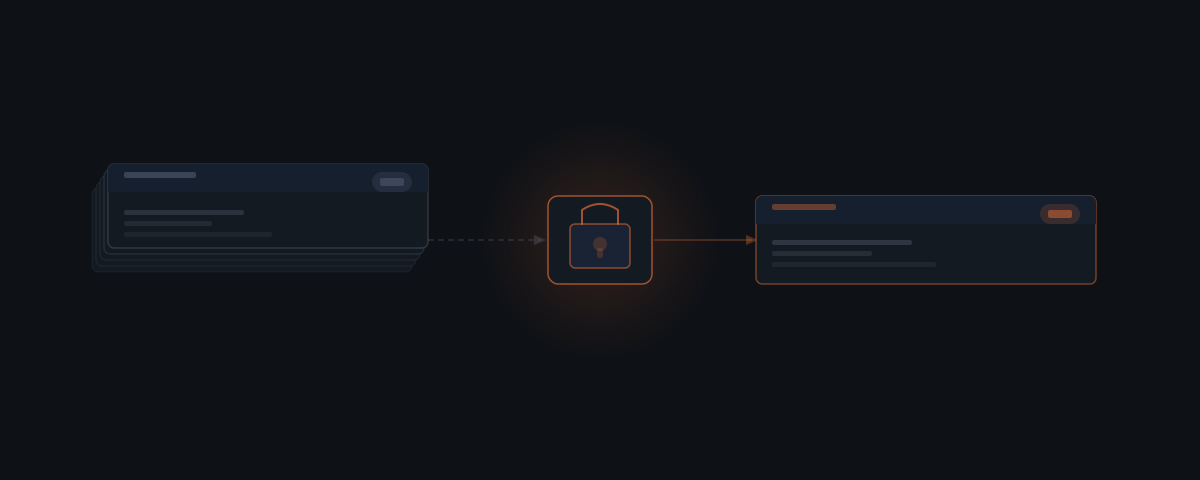
OpenClaw handles the coordination layer around client work — emails, follow-ups, client reports, and CRM updates — so agency founders can stay focused on billable work. Every draft waits for your approval before it goes out. OpenClaw connects to Gmail, Slack, Notion, and Google Sheets, and is configured to match how your agency already operates.
Agency coordination work is not complex. It is voluminous. Every active client generates a steady stream of emails, report cycles, CRM entries, and follow-up threads — none of which are hard to handle individually, but all of which compete for the same attention that should be going toward the work clients are actually paying for. Knowledge workers spend an average of 28% of their workweek managing email alone.[¹]
OpenClaw handles that layer. If you haven't worked with it before, what OpenClaw is is worth a quick read first. The table below shows how each workflow is structured: what triggers it, what OpenClaw does, and where your input comes in.
| Workflow | What triggers it | What OpenClaw does | Your role |
|---|---|---|---|
| Email triage | New email arrives in Gmail | Filters noise, flags client threads, drafts replies | Review draft in Slack, approve or adjust |
| Proposal follow-up | Proposal unanswered after configured interval | Drafts follow-up in your voice with full thread context | Approve, skip, or edit |
| Revision/feedback routing | Client sends notes on a deliverable | Identifies the deliverable, routes the note with brief context | Review, or hand off to whoever owns it |
| Client reports | Configured schedule (weekly or monthly) | Pulls data from Sheets, writes narrative | Scan, adjust, approve |
| Client check-ins | Last proactive contact passes your threshold | Flags the client, drafts a check-in message | Personalise and send |
| CRM updates | After calls or conversation events | Updates deal stages, logs notes | Confirm or adjust |
| Meeting prep | 10 minutes before calendar event | Pulls email threads, docs, calendar notes into summary | Walk in prepared |
| Client onboarding | Stripe payment, signed contract, or Slack trigger | Runs full sequence: welcome, folder, kick-off, briefing | Approve each step |
Every action in the table above waits for your approval before it executes. OpenClaw does not make autonomous contact with your clients.
How OpenClaw stops email from piling up
By the time the inbox is processed, the morning is half gone. OpenClaw connects to Gmail and handles the first pass: newsletters and automated notifications are filtered, support requests are triaged, and new enquiries are flagged with context. What surfaces in Slack is the small set of emails that actually need you.
The filtering logic is not keyword-matching. OpenClaw reads the full email, classifies it by type — client enquiry, vendor notification, inbound lead, automated receipt — and routes it accordingly. Automated mail stops appearing in Slack entirely. Client emails surface with context pulled from the thread history and prior approved correspondence, so the draft it writes is not starting from nothing. It is starting from a good understanding of where the conversation left off.
For replies, OpenClaw drafts in your voice — pulling context from the thread, the client history, and the tone of previous emails you have approved — and waits. You review in Slack, approve or adjust, and it sends from your Gmail account.
Over time, draft quality improves. The agent calibrates against what you approve unchanged versus what you consistently edit. A draft you accept without changes reinforces the pattern. An edit teaches it where the original missed. You are not manually tuning this — it happens through use.
How OpenClaw routes revision notes and client check-ins
Two workflows fall outside triage, proposals, and reports. Agencies doing creative or campaign work run both constantly.
Revision and feedback routing. A client sends notes on a landing page draft, a mark-up on a creative concept, a line edit on ad copy. OpenClaw reads the message and identifies the deliverable it refers to. It routes the note to the person responsible, with the original brief and any earlier revision threads attached. Whoever picks it up gets a routed request with context — not a raw email chain to reconstruct.
Check-ins and relationship maintenance. Retainer clients expect proactive contact between deliverables and reports. OpenClaw tracks the date of your last outbound message to each client. It flags anyone who has gone past a threshold you set — ten days is a common default — without a proactive touch. A draft check-in appears for approval. You personalise it and send.
If more than one person handles client work, each message type needs a named default reviewer, or the approval queue becomes its own bottleneck. Status updates and check-ins default to whoever owns the account. Revision notes default to whoever owns the deliverable — usually the creative lead. Billing questions default to whoever owns the money. Set these defaults once, before OpenClaw goes live, not message by message as things arrive.
How OpenClaw handles proposals and follow-ups
The follow-up is where most agencies lose deals quietly. A prospect goes silent after the proposal. The week fills up. You mean to follow up but there is always something more pressing. Ten days pass. The prospect has moved on — not because they were uninterested, but because someone else was faster.
OpenClaw tracks open proposal threads and flags them at the interval you set. When a proposal has not received a reply after three days, a draft follow-up appears in Slack. You approve it or skip it. The work is done — you just decide.
The follow-up cadence is configurable per engagement type. A high-value pitch might warrant a two-day flag. A smaller project inquiry might run on a five-day schedule. You set those parameters once per category; OpenClaw applies them automatically across all open threads.
For the proposals themselves: OpenClaw takes your source material — a brief, a set of notes, a conversation summary — drafts in Google Docs, and sends to the prospect with your approval at each step. You are not writing from a blank page. You are reviewing a first draft.
Where this matters most is at volume. If you have four or five active proposal threads at once, tracking the follow-up state for each without OpenClaw means either a spreadsheet or a reliable memory. Most agencies have neither. OpenClaw removes the tracking problem entirely — the flag appears when it is due, not when you happen to remember.
How OpenClaw delivers client reports on schedule
Set up the report configuration for each client once — which data sources to pull, which metrics to include, what format they prefer. After that, every Monday morning the draft is already waiting in Slack: numbers pulled from Google Sheets, narrative written, ready for your review. You scan it, adjust anything that looks off, and approve. The client gets their report before they have started their own week.
Report configuration is per-client. One client gets a performance summary with traffic, conversions, and ad spend. Another gets a weekly project status update. Another gets a monthly retainer review. Each runs on its own schedule, pulls from its own data sources, and follows its own format. You configure the shape once; OpenClaw handles every instance.
When you realise you forgot the Friday report, the draft is already waiting. You review it — not produce it from memory. The report cadence you promised clients at the start of the engagement is the one they actually receive.
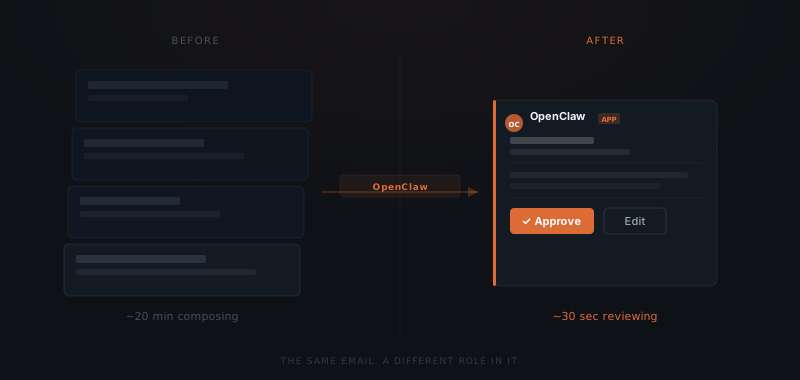
The approval interface shows the full draft before anything goes out. You can approve as-is, edit inline, or flag a section for revision. Once you approve, it sends directly from your Gmail account with your signature — not from a tool address. The client receives it as a normal email.
What used to take twenty minutes of composing takes thirty seconds of reviewing.
How OpenClaw keeps CRM records current
CRM records go stale because updating them requires a separate action after the real work ends. The entry stays where it was, and the next person to open that record works from stale information. CRM data goes stale because updating it is friction. After a call, you are already on to the next thing.
OpenClaw updates deal stages, logs call notes, and keeps contact records current — via browser automation, so it works with any CRM without requiring a native integration. If your CRM has a web interface, OpenClaw can update it. You can also do it conversationally: tell it what happened on the call, it makes the update and confirms. The record is current before you have moved on.
What gets logged is configurable. A standard call log might include: date, duration, participants, key discussion points, agreed next steps, and any changes to the deal timeline. OpenClaw structures these from your raw notes — you do not need to format them yourself. Tell it "I spoke to David for thirty minutes, we agreed to extend the proposal deadline by a week, and he is now talking to two other agencies," and OpenClaw produces a clean log entry and updates the deal stage accordingly.
For agencies managing six or more active clients, this compounds into a meaningful operational gain. The cost of stale CRM data is not just messiness — it is wrong context going into the next client interaction.
How OpenClaw delivers meeting prep in under a minute
Before a client call, the relevant context is usually scattered: an email thread from last week, a Google Doc with the original brief, a calendar note from the last meeting. OpenClaw pulls all of it and delivers a summary to Slack ten minutes before the call starts.
You walk in knowing the history — without spending ten minutes digging for it.
The summary is structured consistently: what was agreed at the last interaction, what is currently open or unresolved, the client's last communication and when it arrived, and what today's meeting is supposed to cover. This is drawn from your Gmail threads, Google Drive documents, and any notes stored against that client in Notion.
For recurring client calls — weekly check-ins, monthly retainer reviews — the prep brief gets better over time as more history accumulates. The first time you run a meeting prep for a new client, the summary is limited to the initial thread and the brief. Six months in, it covers everything that has happened since the engagement started. You are not rebuilding that context from memory. It is already there.
How OpenClaw handles multi-client coordination
Agency founders typically run between five and fifteen active client relationships at once. Each client has its own open threads, report cycles, CRM state, and onboarding status. Keeping track of where each one is — without letting any fall through — is the operational overhead that accumulates quietly.
OpenClaw handles each client in a separate context. Per-client agents keep conversation history, approved emails, report configurations, and CRM notes isolated from each other. A draft written for Client A does not inherit context from Client B. The approval queue in Slack shows which client each item belongs to, so you are not switching mental context mid-review.
You can query across clients conversationally. "Which clients haven't received a report this month?" surfaces the answer without you checking each one. "Which proposals are still open from March?" gives you the list. OpenClaw knows the state because it has been managing it — not because you built a tracking system.
As the client roster changes — new clients onboard, others wrap up — the configuration adjusts. New client onboarding creates a new context. A closed engagement gets archived. The system scales with the workload without requiring you to restructure how you manage it.
How OpenClaw runs new client onboarding
When a new client signs, a sequence needs to run. None of it is hard. All of it is easy to miss when you are managing three other things.
Welcome email
Sent from your account, personalised to the engagement, approved before it goes out.
Project folder created
Structured in Google Drive or Notion per your template, shared with the client.
Kick-off scheduled
Draft invite sent with agenda, using your calendar availability.
Briefing doc shared
Pre-populated with what you know from the sales conversation, ready for their input.
OpenClaw triggers the full sequence from a single event — a Stripe payment, a signed contract, a Slack message. Each step runs in order, with your approval. The next step does not start until you confirm the previous one. You get a notification when the sequence is complete, not a list of tasks to work through.
The briefing document is pre-populated with what OpenClaw knows from the sales conversation: the scope summary, the agreed deliverables, the timeline, and any constraints that came up during the pitch. The client receives a document that looks like you spent thirty minutes on it — because OpenClaw did that work from your sales thread and call notes.
If a step in the sequence encounters an issue — the kick-off invite bounces, the Google Drive share fails — OpenClaw flags it rather than skipping ahead. The sequence pauses, you get an error notification, and you decide how to handle the exception. The client does not receive a partially completed onboarding with gaps.
What OpenClaw does not handle
OpenClaw handles volume and structure. It does not handle judgment calls that require context it does not have access to.
Scope discussions — a client wants to expand the engagement, or asks to reduce it mid-project — require negotiation and relationship management. OpenClaw can help you draft an email after you have worked out your position, but it cannot determine what your position should be. Similarly, billing disputes, relationship-level friction, or any conversation where the outcome depends on reading the other party's motivation accurately: these belong to you.
OpenClaw also does not handle creative strategy. It can draft a first pass at a campaign brief, a proposal structure, or a slide outline from your notes — but the strategic thinking that goes into those documents is yours. The draft is a starting point, not an output.
The practical split: anything that follows a pattern you can describe clearly is a candidate for OpenClaw. Anything that requires reading a situation that is genuinely novel, or making a judgment call with significant relational consequences, stays with you.
Frequently asked questions
What does OpenClaw do for agencies?
OpenClaw handles the coordination layer around client work — email triage, proposal follow-ups, client reports, CRM updates, meeting prep, and new client onboarding sequences. Every draft waits for your approval in Slack before it goes out. OpenClaw connects to Gmail, Slack, Notion, and Google Sheets, and is configured to match how your agency already operates.
How does OpenClaw handle proposal follow-ups?
OpenClaw tracks open proposal threads and flags them at the interval you set. When a proposal has not received a reply after three days, a draft follow-up appears in Slack. You approve it or skip it — the work is done, you only decide. OpenClaw also drafts proposals from your source material in Google Docs, with your approval at each step.
Does OpenClaw send emails automatically?
No. OpenClaw drafts replies in your voice — pulling context from the email thread, client history, and tone of previous approved emails — and waits in Slack. You approve or adjust before anything sends. Every outbound action requires your explicit approval.
How does OpenClaw handle new client onboarding?
OpenClaw triggers the full onboarding sequence from a single event — a Stripe payment, a signed contract, or a Slack message. The sequence runs in order: welcome email, project folder, kick-off invite, and briefing doc. Each step waits for your approval before the next one starts. You receive a notification when the sequence is complete.
Does OpenClaw route work to different people, or just to me?
Both, depending on your setup. If you're the only decision-maker, everything routes to you. If more than one person handles client work, OpenClaw routes by message type to a named default: revision notes to whoever owns the deliverable — usually the creative lead — status updates and check-ins to whoever owns the account, and billing questions to whoever owns the money. Set these defaults once; OpenClaw applies them to every message of that type from then on.
How does OpenClaw keep client information separate across accounts?
Each client runs in its own context. Per-client agents maintain separate conversation histories, approved email patterns, report configurations, and CRM notes. A draft written for one client does not inherit context from another. The approval queue in Slack shows which client each item belongs to, so context does not mix during review.
What CRM systems does OpenClaw work with?
OpenClaw updates CRM records via browser automation, which means it works with any CRM that has a web interface — including HubSpot, Pipedrive, Salesforce, and most others. No native API integration is required. You can also update conversationally: describe what happened on a call, and OpenClaw makes the structured update and confirms it.
How long does it take to set up OpenClaw for an agency?
Initial setup takes one to two weeks. A scoping call establishes which workflows to configure first — typically email triage and the most frequent client report. Configuration and testing run in parallel. The first workflows are usually live within ten business days. Additional workflows are added progressively rather than all at once.
What does OpenClaw cost to set up for an agency?
OpenClaw is open-source with no licence fee. Running costs include infrastructure ($20–60/month), AI model API usage ($30–200/month depending on volume), and initial setup ($2,000–6,000 one-time, depending on how many workflows and tools are configured). Year 1 total typically runs $2,400–9,000 including setup; year 2 onwards runs $600–3,000/year in infrastructure and API costs alone.
Notes
- McKinsey Global Institute, The social economy: Unlocking value and productivity through social technologies, 2012. https://www.mckinsey.com/industries/technology-media-and-telecommunications/our-insights/the-social-economy