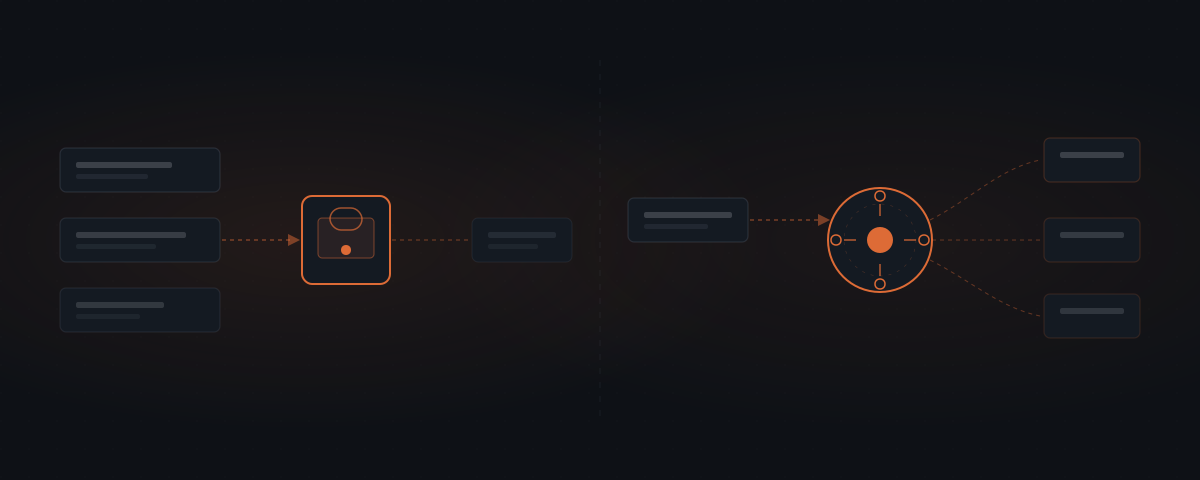
OpenClaw provides a messaging gateway, tools and configurable command permissions. Hermes emphasizes reusable skills and can also work across channels and tools. Their capabilities overlap. Neither automatically gives every email or CRM change a human approval queue; test the controls for the selected workflow. Start from one defined workflow and test the required controls before expanding.
How do OpenClaw and Hermes compare?
Both are free and open agent frameworks that can connect messaging, tools and multi-step work. The comparison is about which implementation fits your job and team, rather than two mutually exclusive categories.
| Decision | OpenClaw | Hermes |
|---|---|---|
| Talking to the agent | Messaging gateway and configured channels | Supported messaging channels |
| Reusable procedures | Check the chosen skills and memory setup | Explicit skill creation, revision and reuse workflow |
| Native approvals discussed here | Command execution permissions | Command controls and optional skill-write review |
| Email or CRM approval | Test and implement the actual application-action gate | Test and implement the actual application-action gate |
| Hosting | Computer or managed server | Computer or managed server |
| Responsibility after launch | Configuration, connections, access and output review | Configuration, connections, access and output review |
OpenClaw’s execution documentation governs commands on its host, not every business action.[1] Hermes’s skill-write approval governs changes to saved skills, not every outgoing message.[2] Keep those scopes distinct.
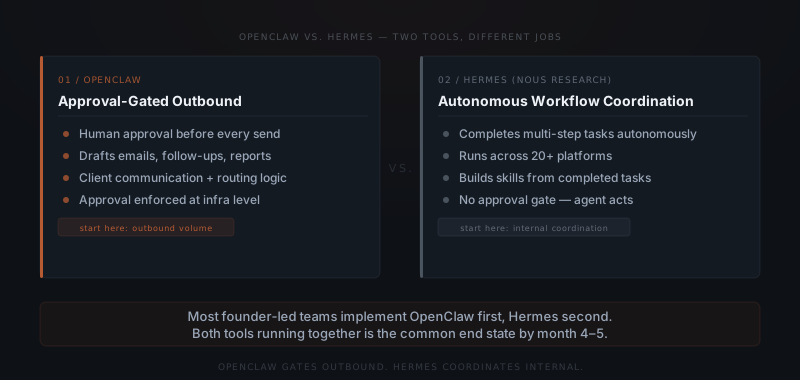
Download: OpenClaw and Hermes decision table (PDF)
How should you compare approval controls?
Begin with the action you want stopped: sending a client email, changing an amount in a CRM or cancelling a booking. Identify the tool that performs it and test the permissions on that tool.
For OpenClaw, the preferred host-command policy is now tools.exec.mode; broad command execution can run without ordinary prompts. Turning on command review does not establish a separate email review interface or prevent an application tool from taking an allowed action.[1]
For Hermes, skill changes can optionally be staged for a person to approve. A safer reusable instruction does not itself enforce a send restriction. Important application actions still need scoped access and a review-and-release path.[2]
A draft-first workflow is an implementation choice. Verify that the agent cannot use another permitted tool or credential to perform the action before calling it approval-first.
How should you compare learning and reuse?
Hermes can save a useful procedure in a local skill directory and revise it when a reusable lesson warrants the change. It does not create a mandatory code-and-tests object after every task. More completions do not guarantee rising accuracy.[2]
Inspect what was saved and compare outputs before and after the change. OpenClaw also has skills and memory features; it is misleading to assume its outputs must remain static while Hermes improves indefinitely. Check the chosen configuration rather than comparing an invented fixed ceiling with an invented learning curve.
See how Hermes learns for the distinction between correcting one output and updating future instructions.
Which workflow should you implement first?
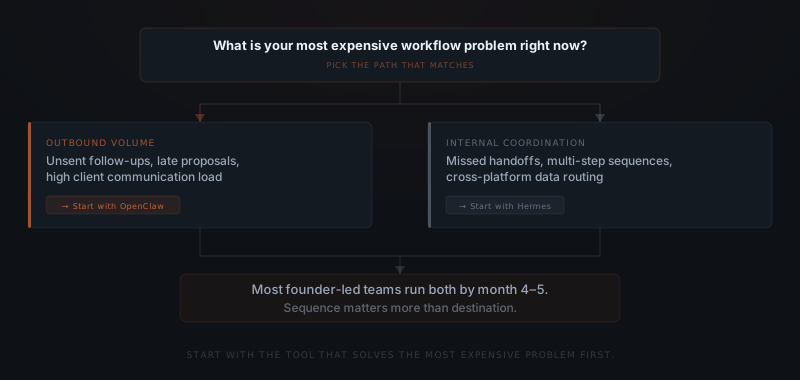
A late follow-up and a missed onboarding handoff are different jobs. Either may justify an agent, but neither automatically selects a framework. Write the trigger, required sources, useful output and actions needing approval before choosing.
| First job | What makes it manageable | What to prove |
|---|---|---|
| Draft client follow-ups | One conversation and one proposed message | Correct context and enforced sending boundary |
| Assemble a weekly report | Defined sources and fixed reporting period | Accurate figures and handling of missing data |
| Coordinate onboarding | Clear sequence and named owners | Correct handoffs, limited writes and recovery from an incomplete step |
Test these requirements with the chosen tools. Prefer the implementation that provides the needed capabilities with a maintenance burden your team can own. Read which workflows to automate first before expanding the scope.
What should the first review period establish?
Use representative tasks, including missing information, unclear recipients and a failed connection. Compare output quality and the time still spent reviewing it. A calendar milestone is less useful than evidence that the job performs within its agreed limits.
Check three things before reducing oversight:
- Outputs meet the requirements on the relevant task variants.
- Restricted actions remain restricted, including when a reviewer is absent.
- A named person can investigate errors and stop or restore the workflow.
There is no supported promise that one framework reaches a particular savings figure in week six or covers a fixed percentage of inputs by week ten. Set the threshold for the actual consequences of this job.
Can you run both systems?
Yes, when they have distinct, justified jobs. You may reuse process documentation and suitable examples, but review access independently. Shared credentials can give the second system broader access than its task needs. Separate names are not a security boundary.
Before adding the second system, identify the new capability you need, its owner and its failure modes. Test it under review rather than copying the first workflow’s permissions wholesale. The first job being stable matters more than whether four months have passed.
What does implementation cost?
Both frameworks have no software licence fee. Hosting, AI usage, business connections, implementation and support determine the full cost. Different workflow scopes are not directly comparable merely because they use different frameworks.
Yardwork scopes the build before quoting. See the current pricing page, and include review and correction time when comparing the return. For the actual implementation work, see what a real AI agent implementation involves.
Frequently asked questions
What is the main difference between OpenClaw and Hermes? OpenClaw provides a messaging gateway, tools and configurable command permissions. Hermes emphasizes reusable skills and can also work across channels and tools. Their capabilities overlap. Neither automatically gives every email or CRM change a human approval queue; test the controls for the selected workflow.
Can a small business use both OpenClaw and Hermes? Yes, but there is no required month-four or month-five milestone. Add another system only when the first has a clear owner, stable outputs and a reason the second is needed. Shared accounts and credentials need deliberate access review rather than automatic reuse.
Which tool is easier to implement first? The narrower, better-defined workflow is usually easier to implement, regardless of the framework. Compare the actual tool connections, permission controls, review requirements and maintenance effort. An email draft can be a smaller first job than full client onboarding, but that does not make it exclusive to OpenClaw.
When should a business choose Hermes rather than OpenClaw? Consider Hermes when its skill-saving and reuse workflow fits the team’s needs. Consider OpenClaw when its messaging and deployment controls fit better. Test the required capabilities in both rather than choosing on a claim that one only drafts and the other alone can coordinate multi-step work.
Notes
- OpenClaw exec approvals. https://docs.openclaw.ai/tools/exec-approvals
- Hermes skills. https://hermes-agent.nousresearch.com/docs/user-guide/features/skills
- OpenClaw skills. https://docs.openclaw.ai/tools/skills
Primary documentation checked 13 October 2026.