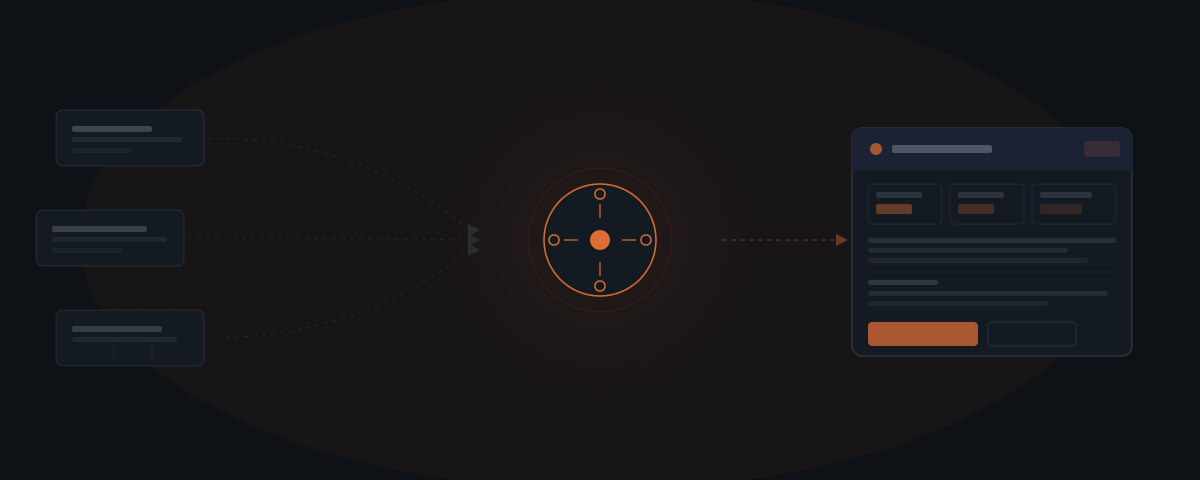
An AI agent for reporting connects to your CRM, project management tool, and data spreadsheets, pulls the relevant figures on a defined schedule, and assembles a structured draft using your report template. The agent handles data retrieval and document assembly. The founder reviews the draft, adds the interpretation layer, and sends. Recurring reports contain almost no variable structure — only the numbers change. That is the work the agent handles.
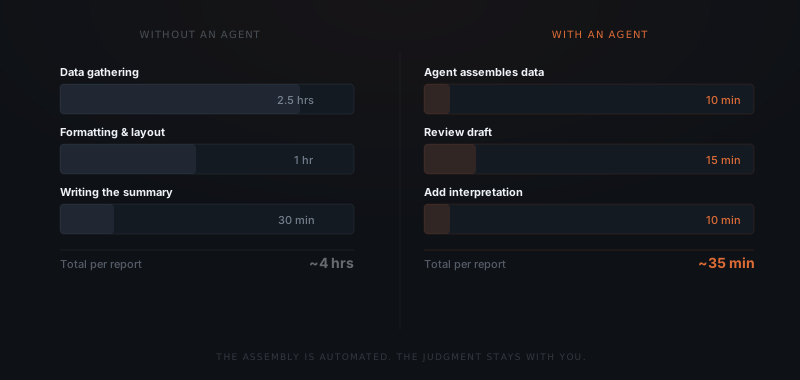
Consider an illustrative month-end reporting routine. You open the project management tool, pull the task completion numbers into a spreadsheet, copy the deal pipeline from the CRM, paste both into the report template, fix the formatting that breaks whenever you paste, write the summary paragraph for each client, and send eight separate emails. Three hours and forty minutes. Every client got the same report structure. Only the numbers changed. An AI agent handles the retrieval and assembly. You handle the paragraph that requires context. That split is the general shape of what an AI agent is: mechanical retrieval and assembly handed off, judgment retained.
Why are recurring reports structured assembly work?
Asana’s 2022 Anatomy of Work Report reported that workers spent 58% of their day on “work about work.”[1] That historical coordination measure is not a reporting-only baseline or evidence of AI-agent savings. A fixed recurring report is one workflow where retrieval and formatting can be separated from interpretation.
A monthly client status report for an agency or consultancy follows the same format every cycle: active projects and their current status, key metrics for the period, blockers or decisions needed, and next steps. The same structure appears in week two as in week fourteen of an engagement. The founder writes it fresh every time because pulling the data and assembling it into the template is manual — not because the report itself requires new thinking.
McKinsey Global Institute’s 2012 report estimated that interaction workers spent nearly 20% of their week finding internal information or colleagues who could help.[2] It is historical context about information work, not a current benchmark for your reporting process or a measured agent result.
The assembly work — collecting, formatting, and populating the template — is not what makes a report valuable. The interpretation is: what the numbers mean, what has changed, and what the client needs to act on. An agent handles the former. The founder handles the latter.
Which report types does an agent handle?
The agent handles any recurring report where the template is fixed and the data lives in connected tools. Different service businesses use it for different report types, but the underlying mechanism is identical.
| Business type | Report type | Data sources typically involved |
|---|---|---|
| Marketing agency | Monthly client performance report | CRM, ad platform, Google Analytics, spreadsheet |
| Recruiting agency | Candidate pipeline report | ATS, CRM, spreadsheet |
| Fractional CFO firm | Monthly financial summary | Accounting software, CRM, spreadsheet |
| HR consultancy | Project status and milestone report | Project tool, CRM, document system |
| Professional services | Weekly status report | Project tool, time tracker, CRM |
| SaaS consultancy | Product usage and engagement report | CRM, analytics tool, spreadsheet |
The common denominator: a fixed template, a recurring cadence, and data that already exists in structured form. The agent does not generate data — it retrieves and assembles what is already there.
What data does an AI agent pull, and from where?
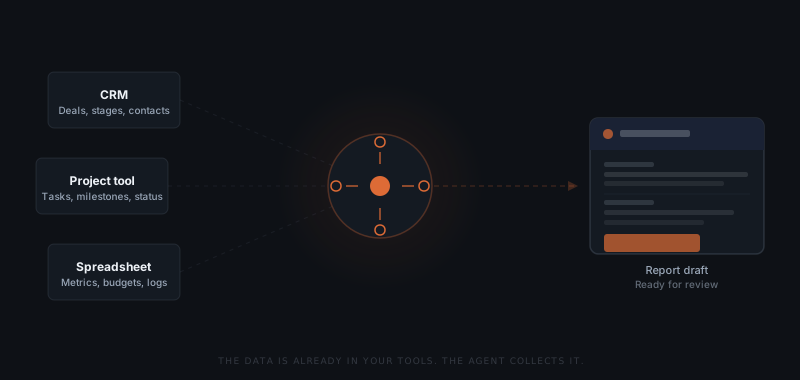
An AI agent in a reporting workflow connects to the tools where the relevant data already lives. The agent does not require a data warehouse, a BI tool, or a data team to configure. If the data is in a CRM, a project management tool, or a structured spreadsheet, the agent can pull it.
CRM data. The agent pulls deal stages, contact activity, pipeline value, and any custom fields relevant to the client relationship. For a recruiting agency, this might be candidate pipeline status and placement count. For a fractional CFO firm, it might be engagement milestones and billing status.
Project management data. The agent pulls task completion rates, milestone status, overdue items, and upcoming deadlines from the project tool — whether that is Notion, Asana, ClickUp, or a spreadsheet-based system. Each field maps to a row in the report template.
Spreadsheet data. Metrics tracked in Google Sheets or Excel — campaign results, revenue figures, time logs — are pulled by the agent and inserted into the relevant report section. The agent does not recalculate or interpret these figures. The agent retrieves and places them.
The connection must support the needed fields and permissions on the firm’s actual accounts. Standard tools may offer supported connections, but field matching, access checks, and exception handling still need implementation work.
| Data source | What the agent retrieves | Common tools |
|---|---|---|
| CRM | Deal stages, pipeline value, contact activity, custom fields | HubSpot, Salesforce, Pipedrive |
| Project management | Task completion, milestone status, overdue items, deadlines | Notion, Asana, Linear, ClickUp |
| Spreadsheets | Metric rows, budget figures, time logs, custom data | Google Sheets, Excel |
| Time tracking | Billable hours, utilisation rate, project time allocation | Harvest, Toggl, Clockify |
| Accounting | Revenue, invoices, payment status | Xero, QuickBooks |
Check each source’s owner, update time, period, and meaning before combining figures. A revenue total and a pipeline estimate should not be presented as the same measure. Retrieval does not establish that a source is complete or current.
What does the report look like when it arrives for review?
The agent assembles the report from connected data sources. The founder receives a near-complete draft — not a blank template — and adds the interpretation layer before sending.
What arrives. The draft appears in a designated review channel — Slack, email, or a review interface — with the data already populated. Deal pipeline figures from the CRM sit in the pipeline section. Task completion rates from the project tool sit in the progress section. Metric rows from the spreadsheet sit in the results section. Show the reporting period and the time each source was updated. Hold incomplete or stale inputs for review instead of treating a filled template as proof that the figures are current.
What the founder adds. The interpretation explains what changed, why it matters, and what the client should do. This workflow keeps responsibility for that judgment with the founder. The agent may prepare text, but it does not possess unrecorded business context or replace the reviewer’s responsibility.
What the founder reviews. Before the report sends, the founder scans for accuracy, adjusts any figures that the data source did not update correctly, and edits the interpretation paragraph. Approving the draft sends the report directly to the client from the designated email. The approval step is the founder's only required action per report per client.
For the broader framework on structuring approval steps in an agent workflow, see what approval workflows do in an AI agent system.
How do you configure a reporting workflow for an agent?
Setting up a reporting agent starts with mapping the data — not with configuring the tools.
List every field in the current report template
Connect the data sources
Define the report schedule and trigger
Separate the assembly layer from the interpretation layer
Automate agreed data assembly; keep interpretation and approval with the reviewer.
Where does the agent stop and a person take over?
Every recurring report follows a fixed template and a predictable schedule, which is why the retrieval and assembly can run without a person checking each pull. But automatic is not the same as unsupervised. The agent is scoped to stop and flag the moment a data source returns something a template can't just insert — a missing field, an implausible number, or a client whose report needs a structural change the template doesn't cover.
| Workflow | Runs automatically | Escalates to staff |
|---|---|---|
| CRM data retrieval | Deal stages, pipeline value, and contact activity pulled on the scheduled cadence | A deal record is missing required fields, or a custom field has been renamed since the last cycle |
| Project data retrieval | Task completion, milestone status, and overdue items pulled from the project tool | A milestone doesn't map to a report field, or the data returned looks incomplete |
| Spreadsheet data retrieval | Metric rows and budget figures pulled into the relevant report section | A tracked figure is missing, blank, or falls outside its normal range for that client |
| Draft assembly | Populating the fixed template and routing the draft to the review queue on schedule | A client's report needs a one-off structural change — a new section or a metric the template doesn't have |
| Report schedule | Draft generated and queued on the defined cadence (weekly, biweekly, monthly) | A client requests an off-cycle report or a change to their reporting cadence |
The interpretation paragraph, judgment calls about what changed and why, and any exception to the standard report structure are never the agent's own call — those route to the founder, who reviews the assembled draft and adds context before anything reaches the client. The agent's job on every one of these paths is the same: recognize when a data pull or a report request doesn't fit the standard pattern, stop, and hand it to a person instead of guessing.
What does reporting automation deliver in practice?
Measure the current assembly work and the review, correction, and support effort after launch. The following planning example assumes three hours of manual assembly per report and fifteen minutes of assembly review after automation. Interpretation is separate and remains necessary in both cases. These are assumed inputs, not a measured result or a guaranteed return.
| Reports per month | Manual assembly baseline | Assembly review after automation | Illustrative hours released |
|---|---|---|---|
| 5 | 15 hrs | 1.25 hrs | 13.75 hrs |
| 15 | 45 hrs | 3.75 hrs | 41.25 hrs |
| 30 | 90 hrs | 7.5 hrs | 82.5 hrs |
Replace the assumptions with your records before deciding whether the build is worthwhile. Subtract exception handling, maintenance, and failed runs as well. More clients increase potential repetition, but they do not establish that reporting is the highest-return workflow for every service business.
For sequencing, see which workflows to automate first. A related recurring task is AI agents for client onboarding.
Frequently asked questions
What does an AI agent do for reporting?
It retrieves agreed fields from connected sources on a schedule, assembles them into the report template, and routes the draft for review. The reviewer checks source freshness and accuracy, adds business interpretation, and approves before sending.
Does the agent need a data warehouse or a BI tool?
Not necessarily. A narrow report can use supported connections to the existing CRM, project tool, or spreadsheet. Confirm access, field meaning, and reconciliation first. A warehouse may still be appropriate for broader or more complex reporting needs.
What does the founder still need to write in the report?
The interpretation: what changed, what it means, and what the client should decide. The agent can help prepare a draft, but the founder remains responsible for context, accuracy, and approval. The time needed depends on the report and its exceptions.
How many client reports can an agent handle simultaneously?
Capacity depends on source limits, report complexity, scheduling, and the review team. Test the expected peak volume and keep each client’s information separated. A configured client count does not itself prove reliable parallel delivery.
How long does it take to set up an AI agent for reporting?
It depends on the number of sources, available access, report consistency, approval rules, and exception tests. A shared template can simplify the build, but a universal two-to-three-week timeline is not established. Scope the connections and acceptance criteria before estimating.
Notes
- Asana, "U.S. Anatomy of Work Report 2022," Asana, 2022. Historical coordination research; not an AI reporting savings study.
- McKinsey Global Institute, "The Social Economy: Unlocking Value and Productivity through Social Technologies," McKinsey, 2012.